

Server upgrade
You can easily upgrade your server via our customer center.
To do this, go to our customer center and select your server that needs to be upgraded via Services > TurboStack > Your Server.
In this server overview, on the right side of the Server Details click the Upgrade button.
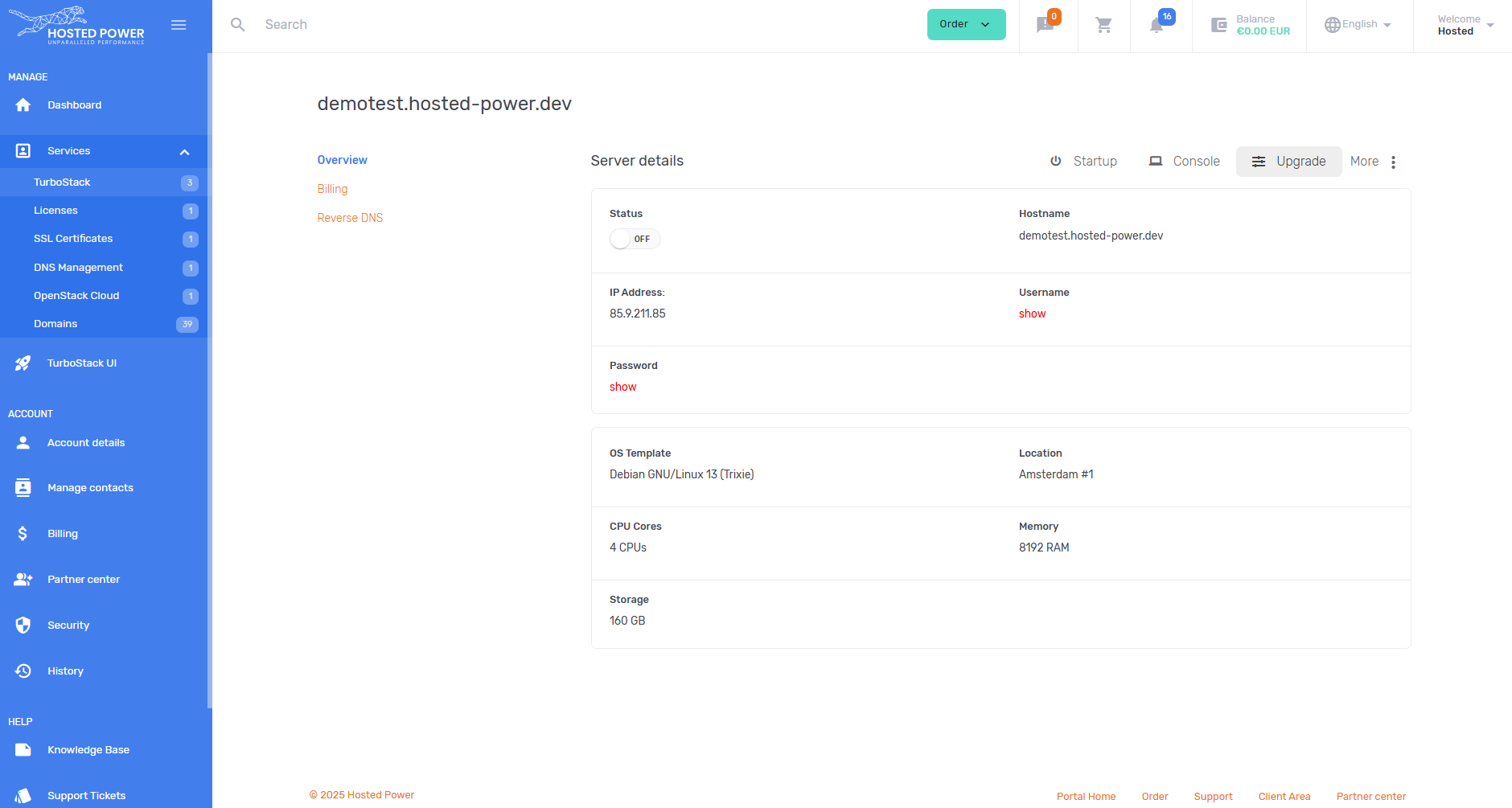
This will bring you to the overview of your server plan. Here you can select the new size for your environment.
Platinum servers don't require a reboot for an upgrade. Other servers will be rebooted. This is an automated process.
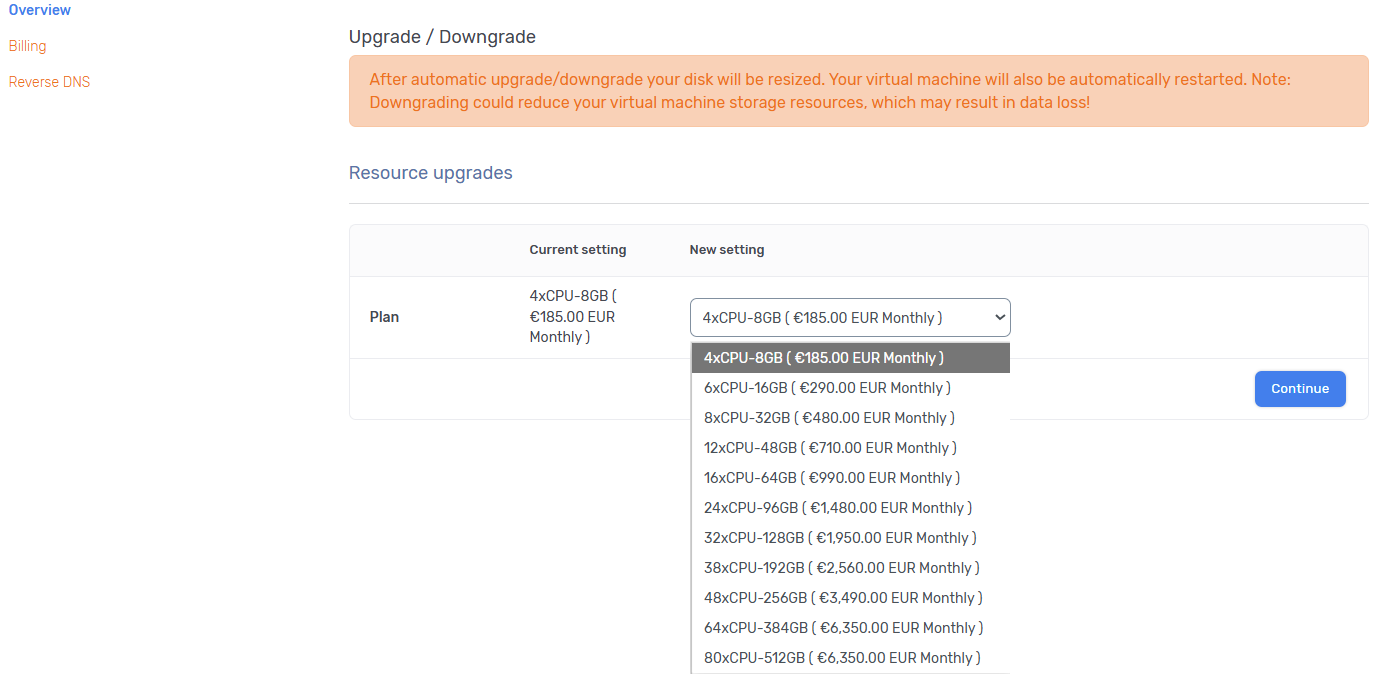
After you chose the new plan, click Continue to go to the billing overview. To start the automated upgrade process, click Submit.