
Configure .NET on TurboStack
Enable the .NET runtime for an application on TurboStack, pick a version, and optionally set a custom listen port for the app behind nginx.
Enable the .NET runtime for an application, choose a version, and let TurboStack run your app as a service behind nginx.
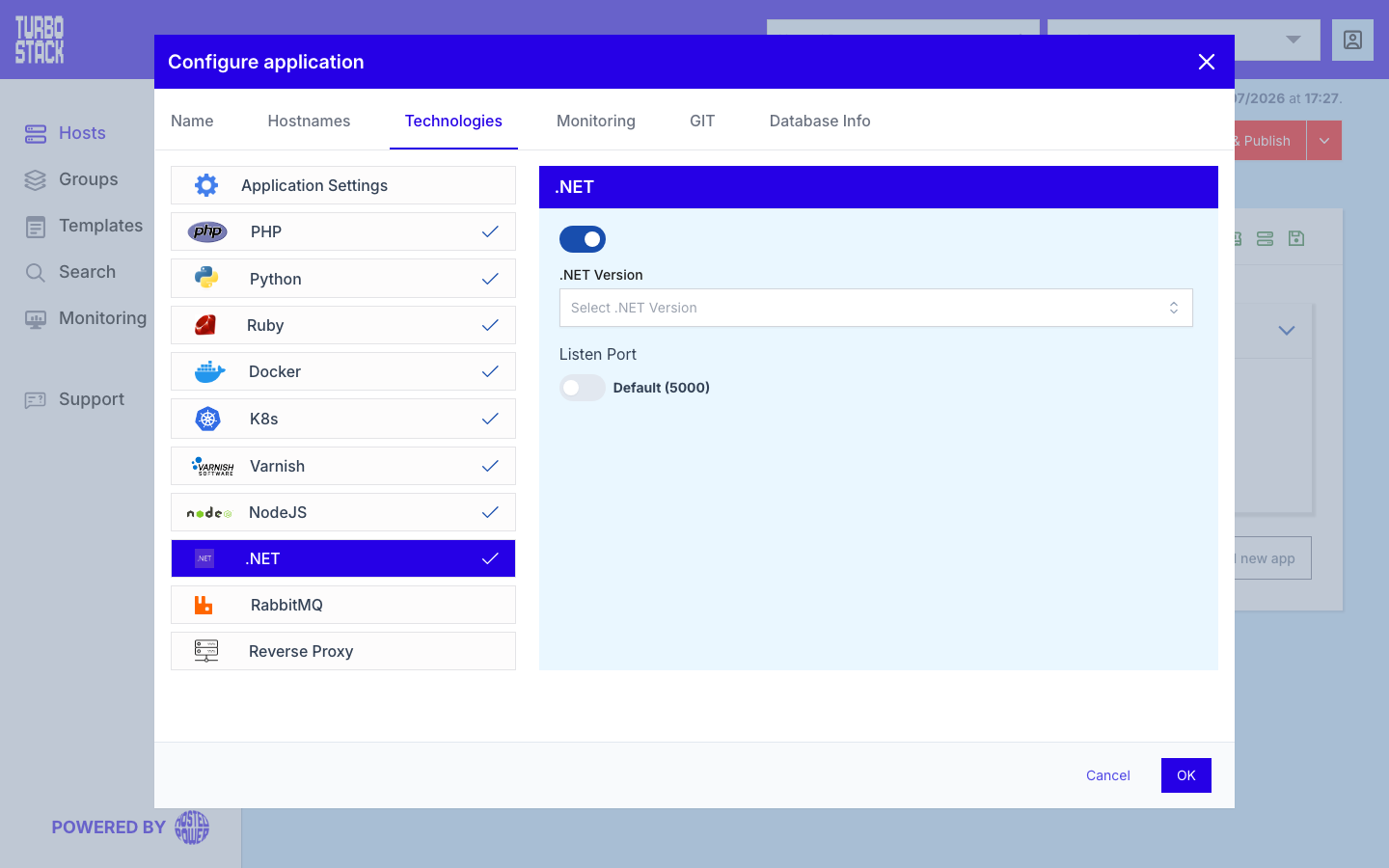
Where to configure it
.NET is configured per application. Open your host, go to an application's Configure application > Technologies > .NET, enable it, and select the runtime version. Saving updates the host YAML, provisions the runtime, and wires up the Nginx reverse proxy in front of your app.
YAML configuration
Required
Optional
dotnet_version: "8.0"

# Optional: run the app on a custom local port behind nginx
dotnet:
  listen_port: 5001
Note
Your application only needs to listen on the local port. Nginx handles public HTTP/HTTPS traffic and Transport Layer Security (TLS) termination, forwarding requests to your app.