
Configure Microsoft SQL Server on TurboStack
Enable Microsoft SQL Server per host on TurboStack for .NET applications - where it lives in the GUI and the required YAML keys.
Enable SQL Server on the host that runs your .NET application and pin the version and edition.
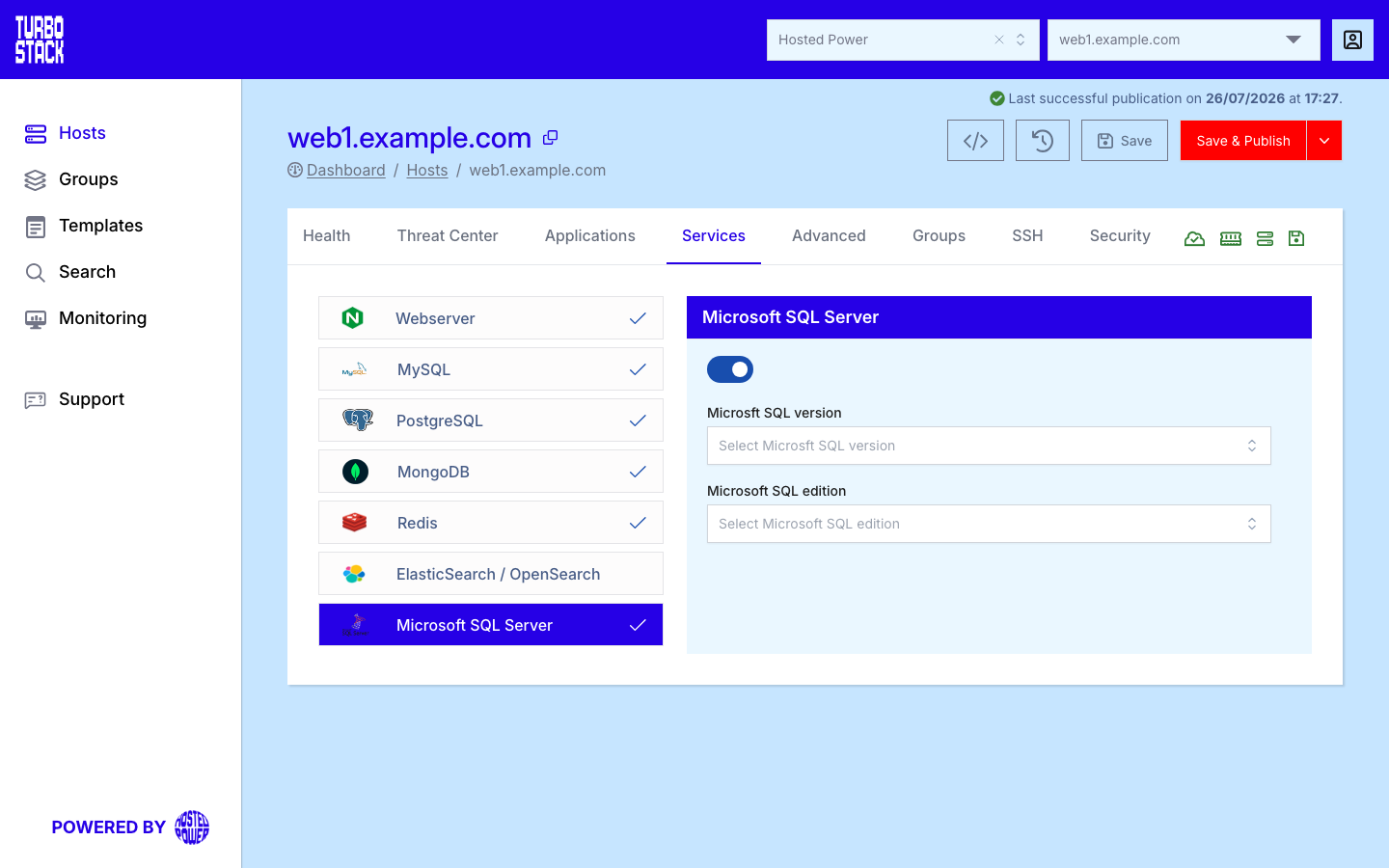
Where to configure it
Microsoft SQL Server is a host-level service. Open the host, go to its Services tab, and find the Microsoft SQL Server entry. Enable the service there and select the version and edition. The change is written to the host's YAML and applied on the next deployment.
Tip
Enable SQL Server on hosts running .NET applications such as nopCommerce that need it.
YAML configuration
Required
mssql_version: "2022"
mssql_edition: "Express"   # Developer, Enterprise, Express or Standard
Warning
The version and edition affect features, resource limits, and licensing. Choose them deliberately and keep them consistent across your environments.