
Configure Redis on TurboStack
Redis is enabled by default; you can confirm it and, if needed, adjust its memory per host.
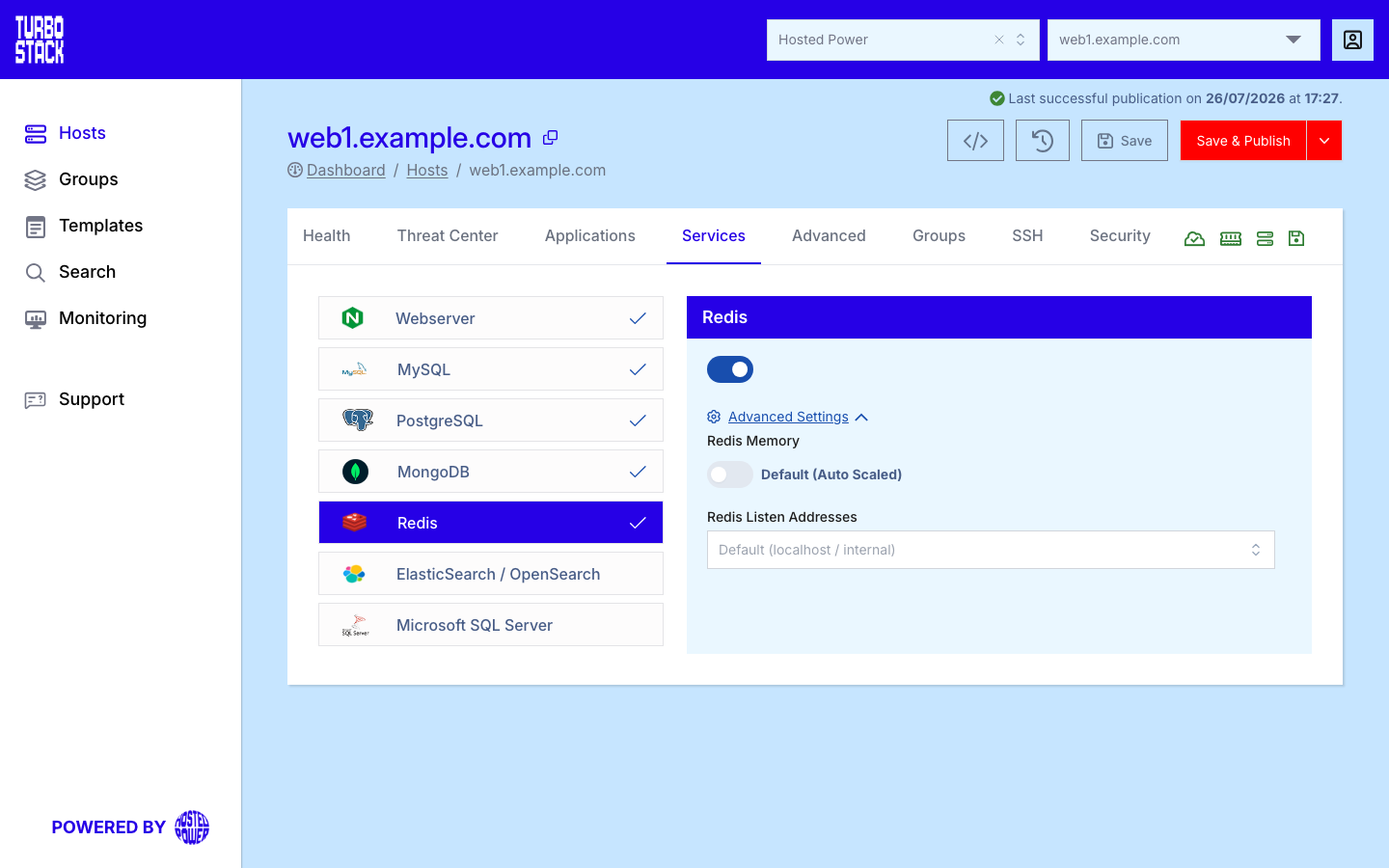
Where to configure it
Redis is a host-level service. Open the host, go to its Services tab, and find the Redis entry. From there you can confirm it is enabled and adjust its settings. Changes are written to the host's YAML and applied on the next deployment.
By convention TurboStack runs two instances on the host: port 6379 for transient cache data and
port 6378 for persistent data such as sessions and queues.
Tip
Memory is auto-sized to the host. Only set a value when you have a measured reason to override it.
YAML configuration
Required
Optional
redis_enabled: true
# Optional - overrides the automatic memory sizing:
redis_memory: "512mb"
# Optional - reachable from the private network instead of localhost only:
# redis_listen_addresses: internal
Listening address
Leave redis_listen_addresses unset and Redis stays on localhost. Set it to internal when
another server on the private network must reach the cache: that binds the loopback addresses plus
the host's private IPv4 addresses. internal is the only accepted value - anything else,
including any, stops the deployment with an error.
Warning
Setting internal also turns off the Redis protected mode. Redis has no password by default, so
anything that can reach the port can read and delete your data. Only use it on a trusted private
network, never with a public address.
Important
On a host that runs Kubernetes or Docker, Redis uses internal unless you set
redis_listen_addresses yourself, and protected mode is off on such a host either way.
Note
The two-instance split (6379 cache, 6378 persistent) is a TurboStack convention. Make sure your application connects transient cache traffic to 6379 and durable data to 6378. For the local socket paths and how to give each application its own database, see Use Redis for sessions and cache.
Common tasks
Related
- What is Redis?
- Host Services
- Performance tuning
- TurboStack CLI - clear the cache with
tscli redis clear