

Mailpit and Mailhog
Our TurboStack supports two mail dev tools for you to choose from.
Mailpit and Mailhog are developer tools for testing emails safely. They act like a local SMTP server. Your application “sends” emails to customer email addresses, but the emails are not actually delivered to them.
Instead, the emails are captured and shown in a web interface, where developers can inspect the subject, content, headers, links, and formatting.
Both tools are useful during development and automated testing because they prevent accidental real email delivery while making it easy to verify that email functionality works correctly.
info
We currently recommend Mailpit over Mailhog, as the Mailhog project is no longer receiving updates!
Enable it in the TurboStack GUI
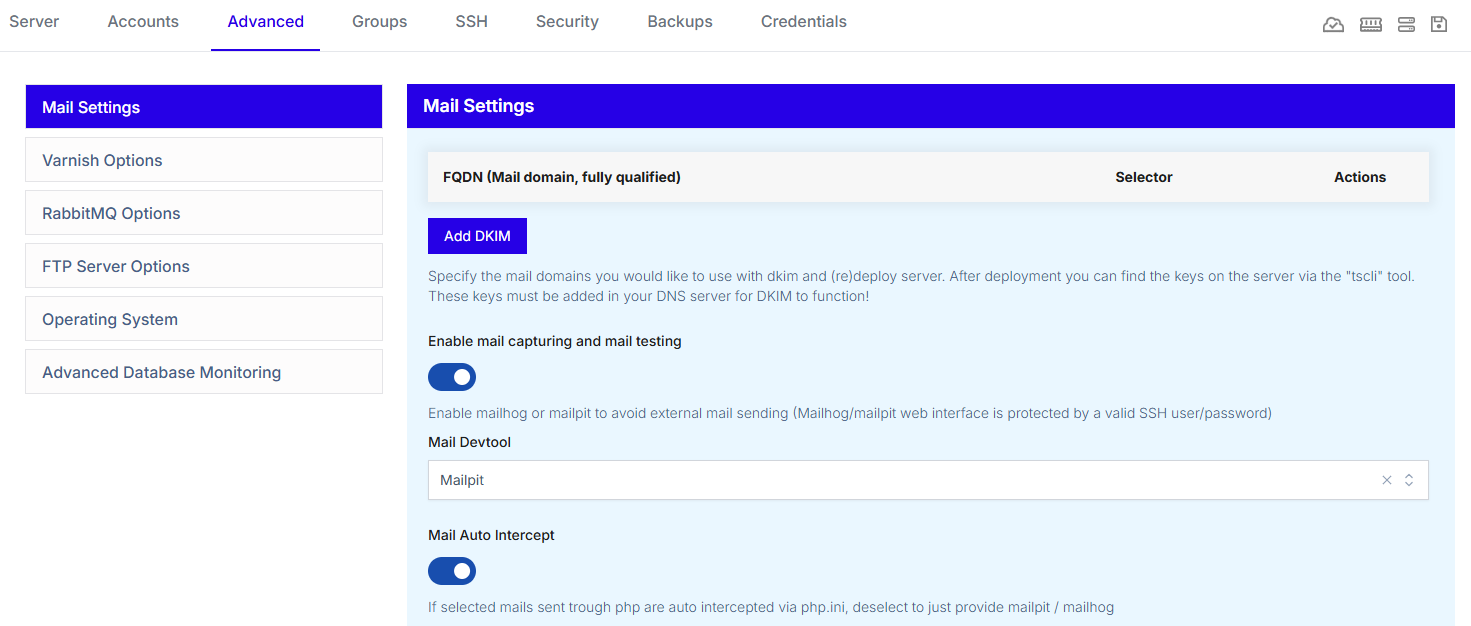
In the TurboStack GUI of your server, go to Advanced > Mail Settings, then click the toggle Enable mail capturing and mail testing.
New options will then show, where you can choose between Mailpit and Mailhog.
If you want to temporarily disable the service, you can do so with the Mail Auto Intercept toogle.
Enable it via the YAML editor
To enable this via our YAML editor, add the following to the config:
mail_devtool: mailpitTo temporarily disable the mail intercept, add the following line under mail_devtool:
mail_auto_intercept: falseAccessing the tool GUI
To access the tool, you can do so by going to the IP or domain of your application and append
http://[IP_OR_DOMAIN]/mailpitfor Mailpithttp://[IP_OR_DOMAIN]/mailhogfor Mailhog
You will then get a Basic Auth prompt where you'll need to enter the credentials of a system user. These login details can be found in the Credentials tab of your server in the TurboStack GUI.