
Configure Apache on TurboStack
How to select Apache (apache2) as your host web server on TurboStack and the YAML it produces.
Switching a host to Apache takes a single host-level setting.
Where to configure it
The web server is chosen at the host level, in the same selector used for Nginx:
- Open the host.
- Go to the Services tab.
- Under Webserver, select apache2.
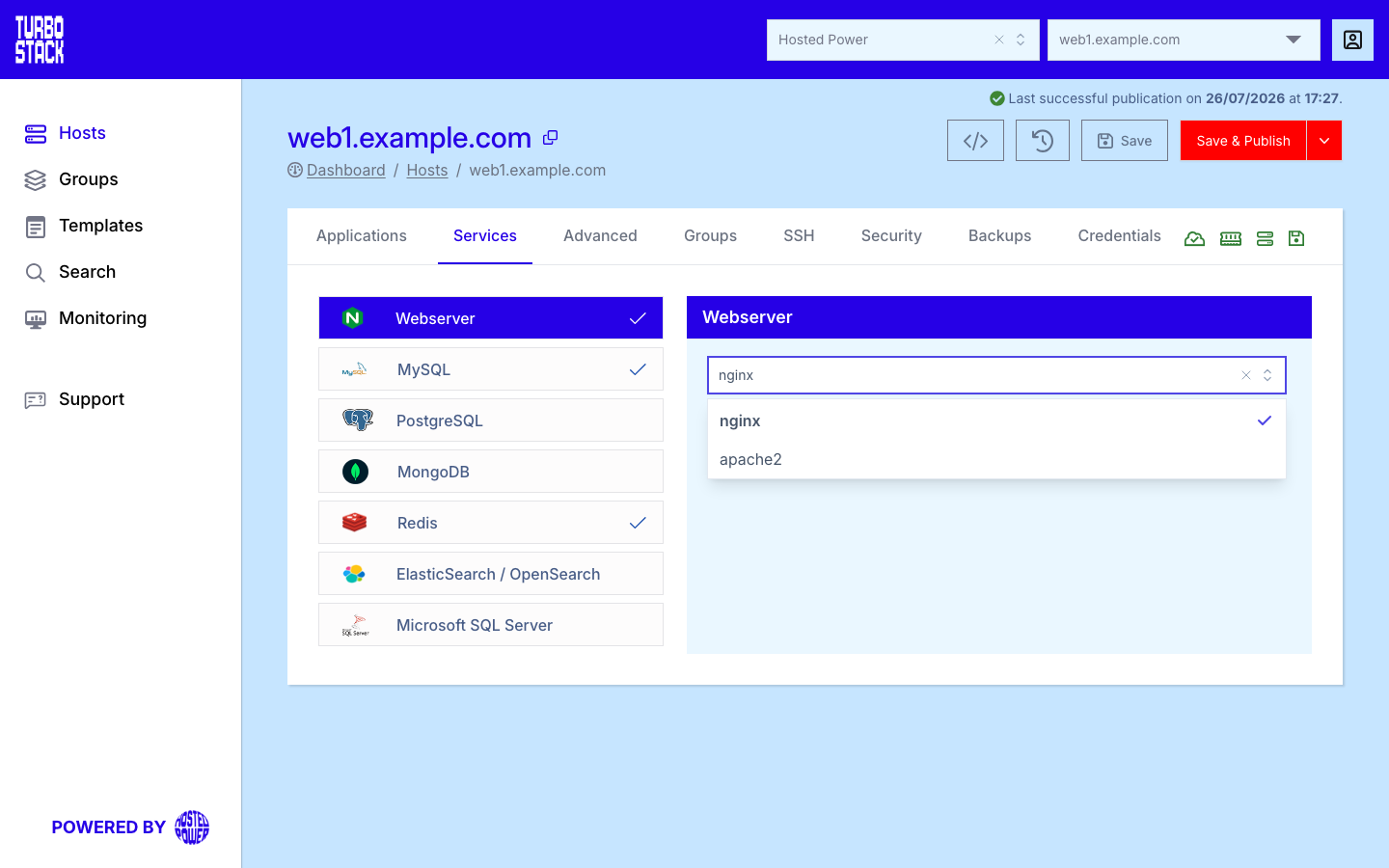
This applies to every application on the host. Only one web server runs per host.
YAML configuration
Required
Optional
There are no additional Apache keys required - selecting apache2 is enough for
TurboStack to provision and manage the web server.
# Host-level: select Apache as the web server
webserver: apache2
Warning
Apache and Nginx cannot run side by side on the same host. Changing
webserver swaps the web server for every application on the host. Nginx is the
recommended default - see Configure Nginx.