
Configure Nginx on TurboStack
Selecting Nginx as the web server for a host takes a single setting; TurboStack generates the per-application configuration from there.
Where to configure it
The web server is chosen at the host level:
- Open the host.
- Go to the Services tab.
- Under Webserver, select nginx.
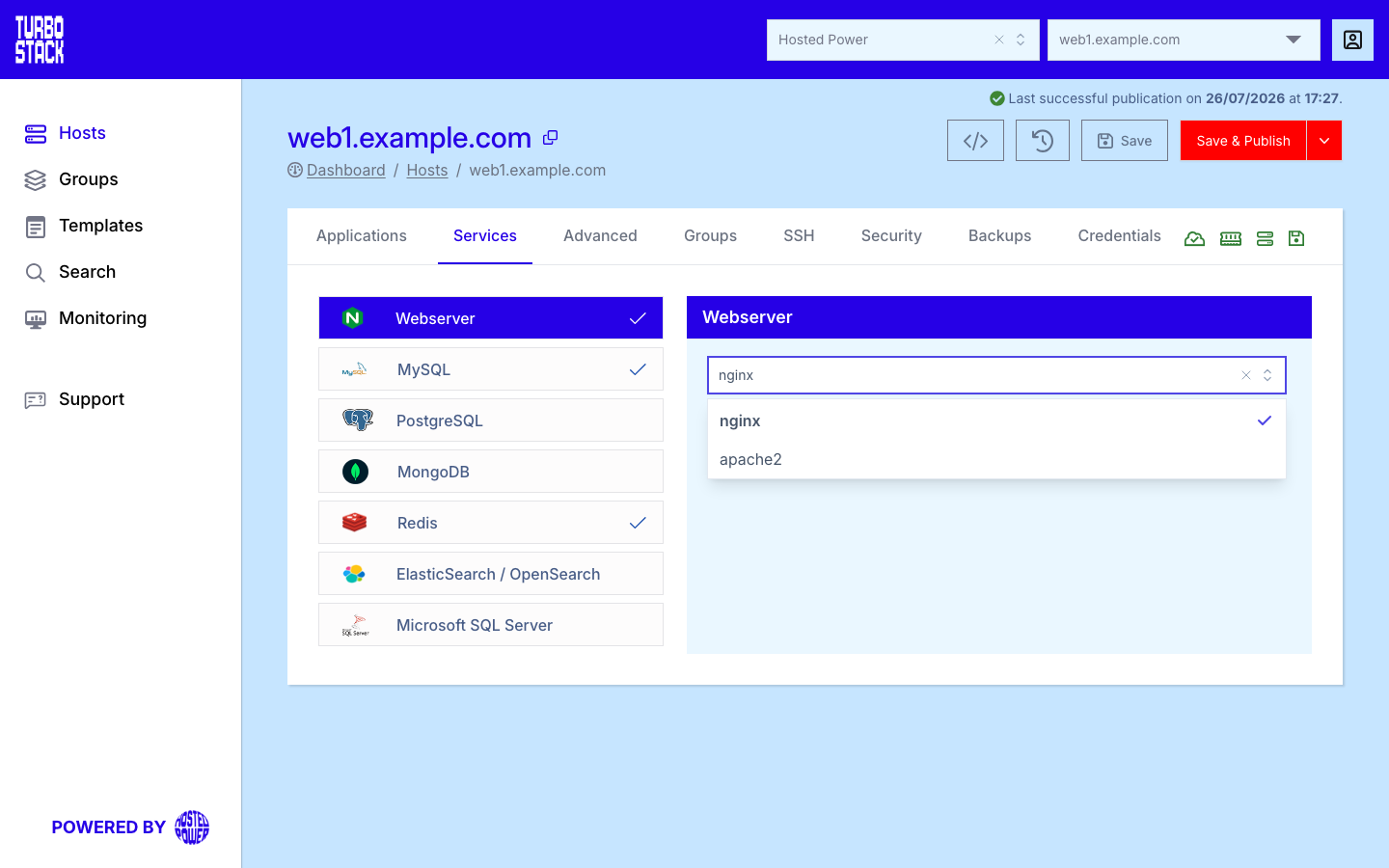
This applies to every application on the host. The per-application vhost (caching headers, static-asset expiry, security denies and the PHP-FPM backend) is generated automatically - there is no raw config to write by hand.
YAML configuration
Required
Optional
Per-application virtual host tuning (caching, static-asset expiry, security denies and the PHP-FPM backend) is generated for you by TurboStack - there are no extra Nginx keys you need to set.
# Host-level: select Nginx as the web server
webserver: nginx
Tip
Only one web server runs per host. To switch to Apache, change webserver to
apache2 - see Configure Apache.
Custom Nginx configuration
The generated vhost covers most needs, but you can add your own Nginx configuration per system user
in the ~/nginx directory (over SSH). Files load in alphabetical
order, so the numeric prefix sets the priority. Two files are present by default:
20rewrites.conf- your redirects and rewrites.50main.conf- the main server block. A file with a prefix above50loads after it; below50, before it.
When Varnish is enabled it sits in front of Nginx, and the location decides when your rules run:
- Files in
~/nginx/load after Varnish - app-level rewrites, headers and security rules. - Files in
~/nginx/outside/main/load before Varnish - edge rules and pre-cache allow-lists.
Custom config applies only to that system user's applications. Besides .conf, the .runmaps (Magento
routing) and .http (for example backend.http) file types are also supported.
Apply changes with the TurboStack CLI:
tscli nginx reloadWarning
Editing 50main.conf needs Nginx knowledge - a mistake can take the site offline. tscli nginx reload validates the config and points to the error. If you are unsure, contact
support first.
Common tasks
- Force HTTPS
- Redirect to/from www
- Block or allow IP addresses
- Add custom HTTP headers
- Restrict admin access
- Change the Nginx docroot
Related
- What is Nginx?
- Host Services tab
- Applications overview
- TurboStack CLI - reload or restart Nginx with
tscli nginx reload