
SSH access
The host's SSH tab controls how you and your team connect to a host over SSH. From here you manage the public keys allowed to log in and whether password-based login is permitted.
You log in as a system user, not as root. Its password is on the host's Credentials tab, where you can reveal and copy it. New to this? Start at Accessing your server.
Note
SSH settings are hidden for Windows hosts.
This tab covers:
SSH keys - manage the public keys allowed to log inKeys for specific accounts - limit a key to some system usersPassword authentication - allow or disable password-based loginOverriding a group setting - make this host's choice winSSH port - change the port SSH listens on
SSH keys
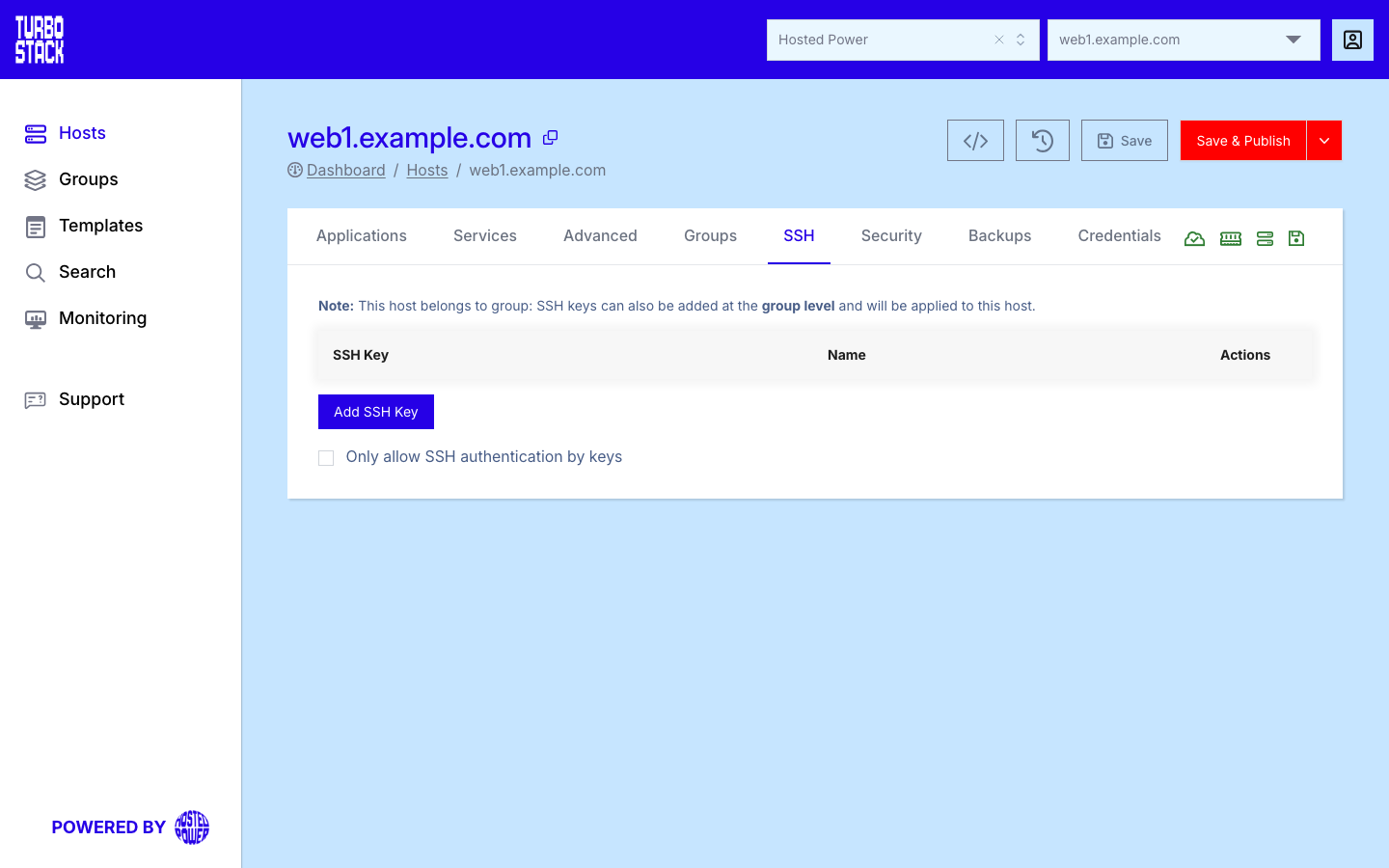
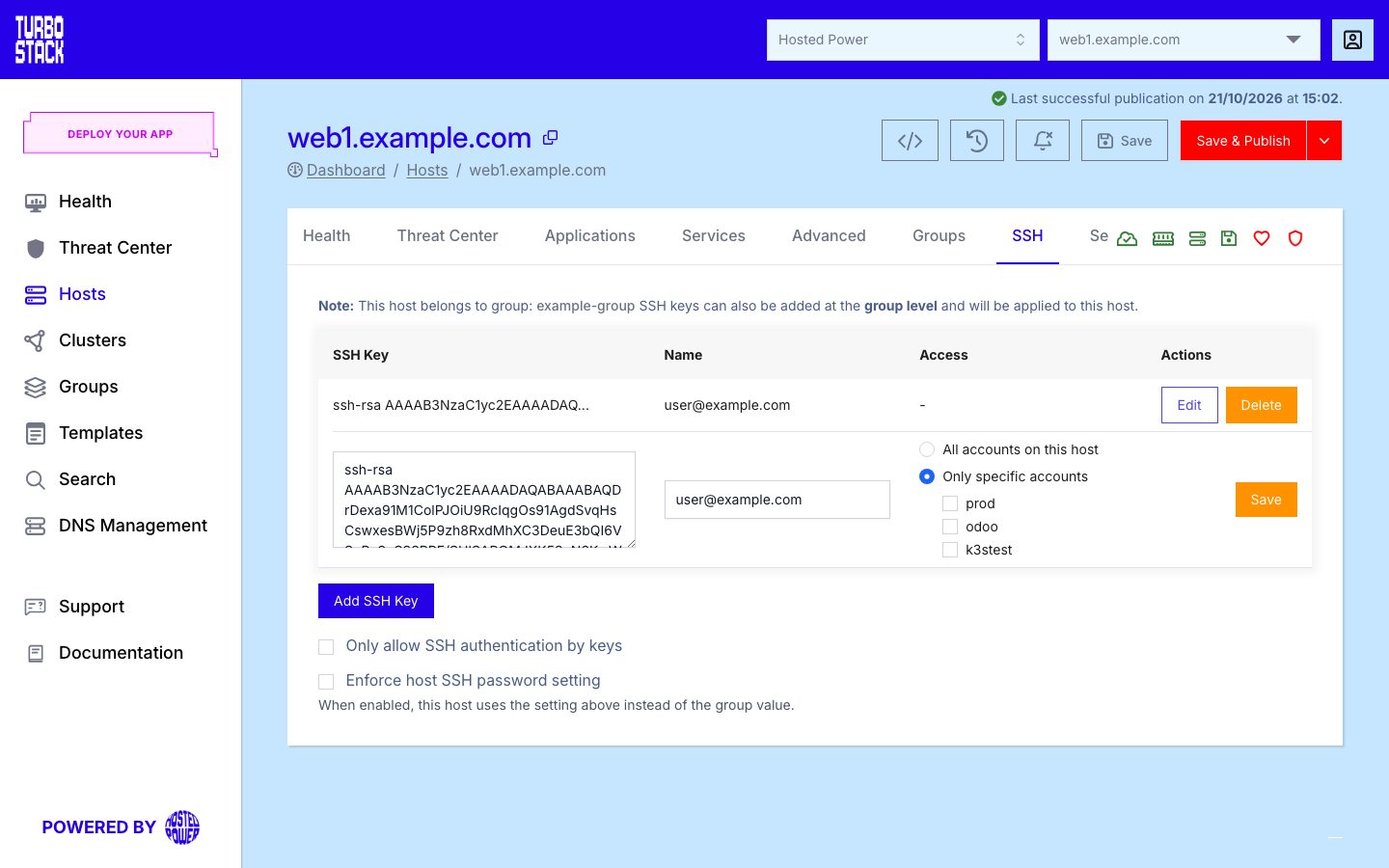
The table lists the public SSH keys allowed to access the server, with their Name and their Access. Access is All accounts or the list of system users the key is limited to. Add, edit, or delete keys as your team changes.
Each key supports an optional name or label to help you identify its owner or purpose. Both ed25519 and RSA (Rivest-Shamir-Adleman) keys are supported. For a step-by-step walkthrough of generating a keypair, see Add an SSH key.
To add a key:
- Open the SSH tab for the host.
- Select Add SSH Key.
- Paste the public key. It must start with
ssh-rsaorssh-ed25519. - Optionally enter a name or label for the key.
- Choose the access (see below) and select Save on the row.
- Select Save & Publish in the host header. The row's Save only keeps the row. The key reaches the server when you publish the host.
Keys for specific accounts
By default a key opens every system user on the host (ssh_keys in the configuration). When an
agency or a developer should only reach one application, limit the key:
- Select Edit on the key, or add a new one.
- Choose Only specific accounts and tick the system users it may open.
- Select Save on the row, then Save & Publish.
In the configuration an account-specific key is stored under the system user, as
system_users[].ssh_keys, in the same type key name format. A host without accounts offers only
All accounts on this host: the key then opens every account added later.
Inherited group keys
SSH keys can also be defined at the group level. When a host belongs to a group, it inherits the group's SSH keys in addition to any keys defined directly on the host. This lets you grant a set of keys access across many hosts at once. Group keys always open every account on the host. They cannot be limited to specific accounts. See Groups for how inheritance works.
Password authentication
Only allow SSH authentication by keys controls whether password-based SSH login is permitted.
Switch it on and users can connect only with an SSH key. In the configuration this is
ssh_passwords: false - the checkbox is worded the other way round from the key it writes.
Tip
Use key-based authentication and disable password authentication. Keys are far harder to guess or brute-force than passwords, so turning off password login significantly improves the security of your host.
Before disabling password authentication, confirm that every user who needs access has a working SSH key configured so that no one is locked out.
Note
This tab decides whether a password may be used. The password itself is not set here: each system user's password is on the Credentials tab.
Overriding a group setting
When a host belongs to a group, the group can also decide whether passwords are allowed. By default the stricter setting wins. If any of the host's groups disables password login, it is disabled on the host too, whatever the host itself says.
Enforce host SSH password setting changes that. Switch it on and the host's own choice above applies, ignoring its groups. The checkbox appears only when the host is in at least one group.
Tip
Leave this off. It exists for the one host that legitimately needs to differ from its group - a migration in progress, for example - and an override you forget about quietly undoes a fleet-wide hardening decision later.
SSH port
The ssh_port setting controls which port the SSH service listens on. Changing it from the default can reduce noise from automated scans.
Note
There is no field for this on the SSH tab. Set it in the Source (YAML) view or over the API.
Warning
If you change ssh_port, make sure your firewall rules allow the new port, otherwise you may lock yourself out. See Security to review firewall settings.
Note
You connect as your own system user, not as the administrator. A small number of commands can still be run with administrator rights, and they act on the whole server. See Administrator access before using them.
Related
-
Credentials - where each system user's password is
-
Accessing your server - the short overview
-
TurboStack CLI - the
tsclitool you run once connected over SSH