
Credentials
The Credentials tab gathers the access details for a host - server-level access and the credentials for each system user account.
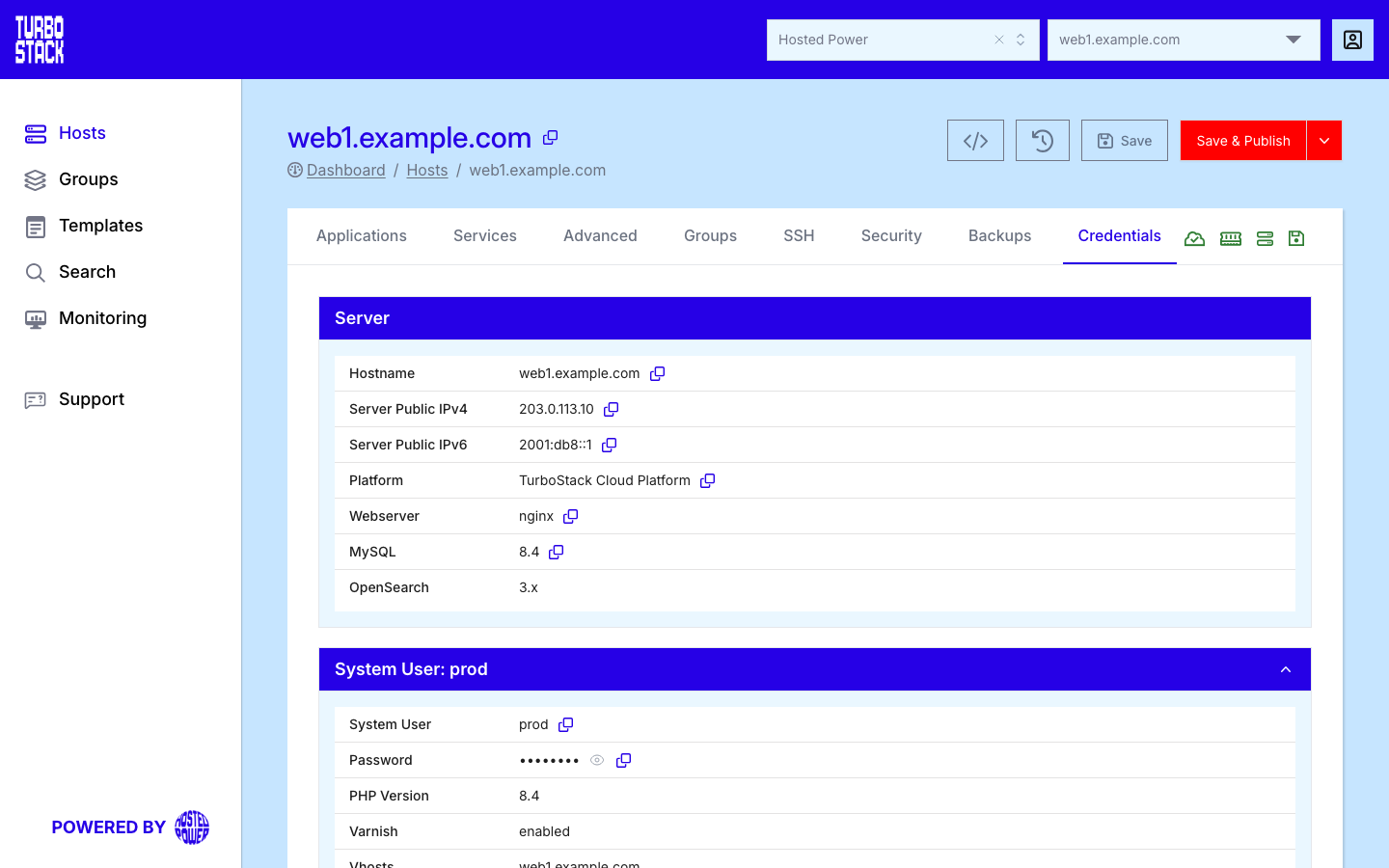
This tab covers:
Server - host-level access, addresses, and platform detailsPer-account credentials - databases, FTP, and user passwords
Important
Credentials are secrets. Passwords are hidden by default - click the eye icon to reveal one. Use the copy icons rather than retyping, and never share or store these values insecurely.
Server
The Server section lists host-level access:
- Hostname - the server's fully-qualified name.
- Server Public IPv4 and Server Public IPv6 - the server's public addresses.
- Platform, Webserver, and the database version.
On a host managed by a control panel (cPanel or DirectAdmin), the Server section also shows the
panel's admin login (the admin account and its password). Use it to sign in to the control
panel itself. The server's root password is not shown. Server-level access is managed for you by
Hosted Power.
Per-account credentials
Each system user has its own section showing its account name, PHP version and applications, plus the credentials it owns:
- MySQL databases - database, user and password for each database.
- Database extra users - additional read-only or admin database users.
- PostgreSQL databases - same layout as MySQL, when PostgreSQL is enabled.
- FTP users - FTP username, password and path.
- RabbitMQ - virtual host, user and password, when RabbitMQ is enabled on one of the user's applications. See Configure RabbitMQ.
Every value has a copy icon, and passwords have a reveal toggle and a reset icon.
Reset a password
Every password on this tab has a reset icon between the reveal and the copy icon. Use it when a password may have leaked, or when someone who knew it should no longer have access. You can reset the password of the system user, the database, an extra database user, an FTP user and the RabbitMQ user. The root password and a control panel's admin login are not on this tab for a customer, so they cannot be reset here.
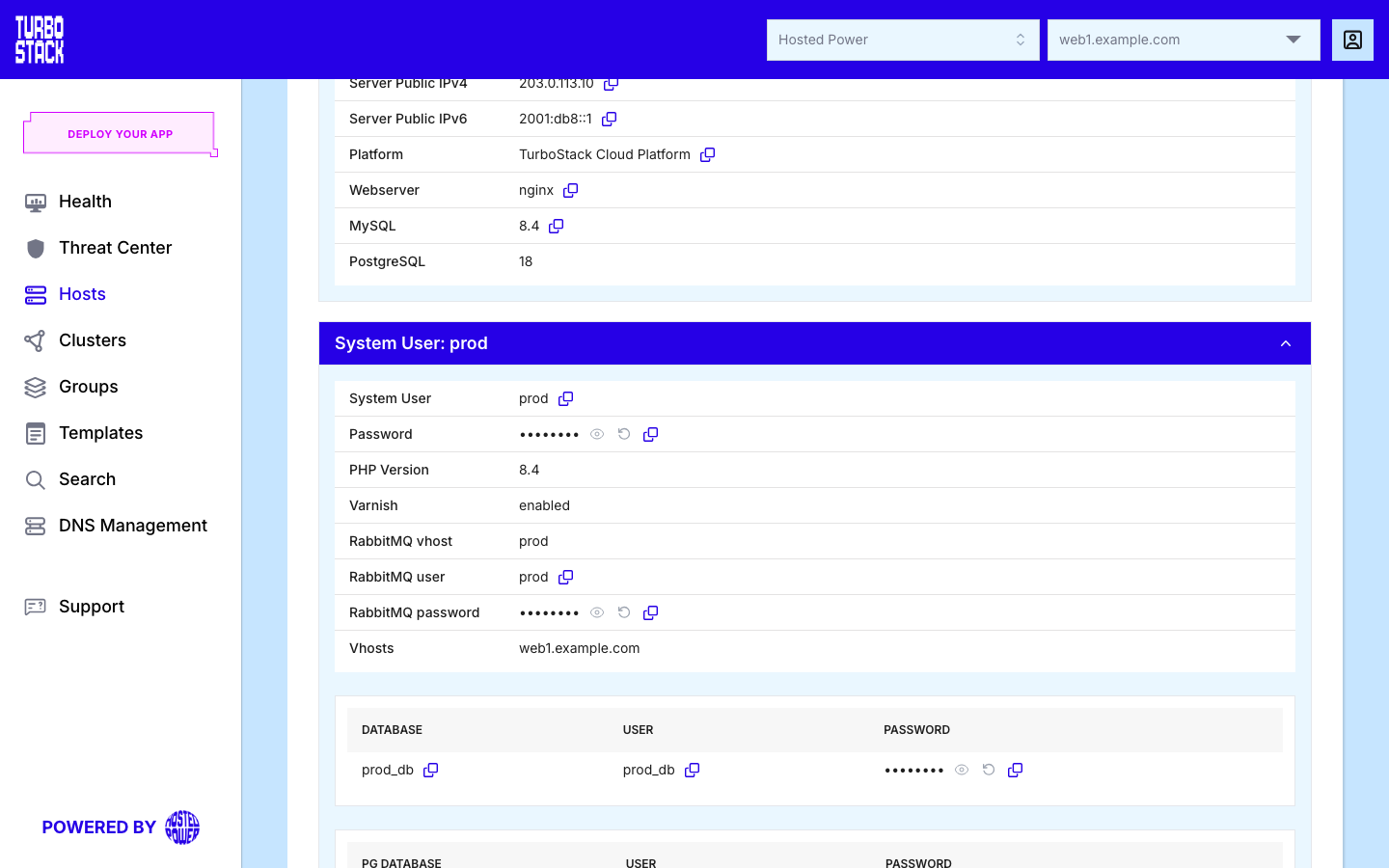
-
Select the reset icon next to the password and confirm. The stored password is cleared and the row shows it struck through. Nothing changes on the server yet: the old password keeps working until you publish.
-
Click Save & Publish. The publish generates a new password on the server. The reset is recorded as a revision in History, and the publish covers only the service that owns the password.
-
Reopen the Credentials tab to read the new password.
Important
The reset changes the password on the service itself: the Linux account, MySQL, PostgreSQL, FTP or RabbitMQ. It does not touch the applications that use that password. Right after the publish, update the new password in your application's configuration, for example the database settings of your shop. Otherwise the application loses its connection. Resetting the database password of a system user changes its MySQL and its PostgreSQL password in one go when both are enabled.
A reset that is waiting for a publish shows a grey icon. Reloading the page before you publish shows the old value again, but the reset is still queued. It is listed in History and takes effect on the next publish.