
Configure PostgreSQL on TurboStack
Enable PostgreSQL on a host, choose a version, and let TurboStack auto-tune sizing for apps like Odoo and Medusa.
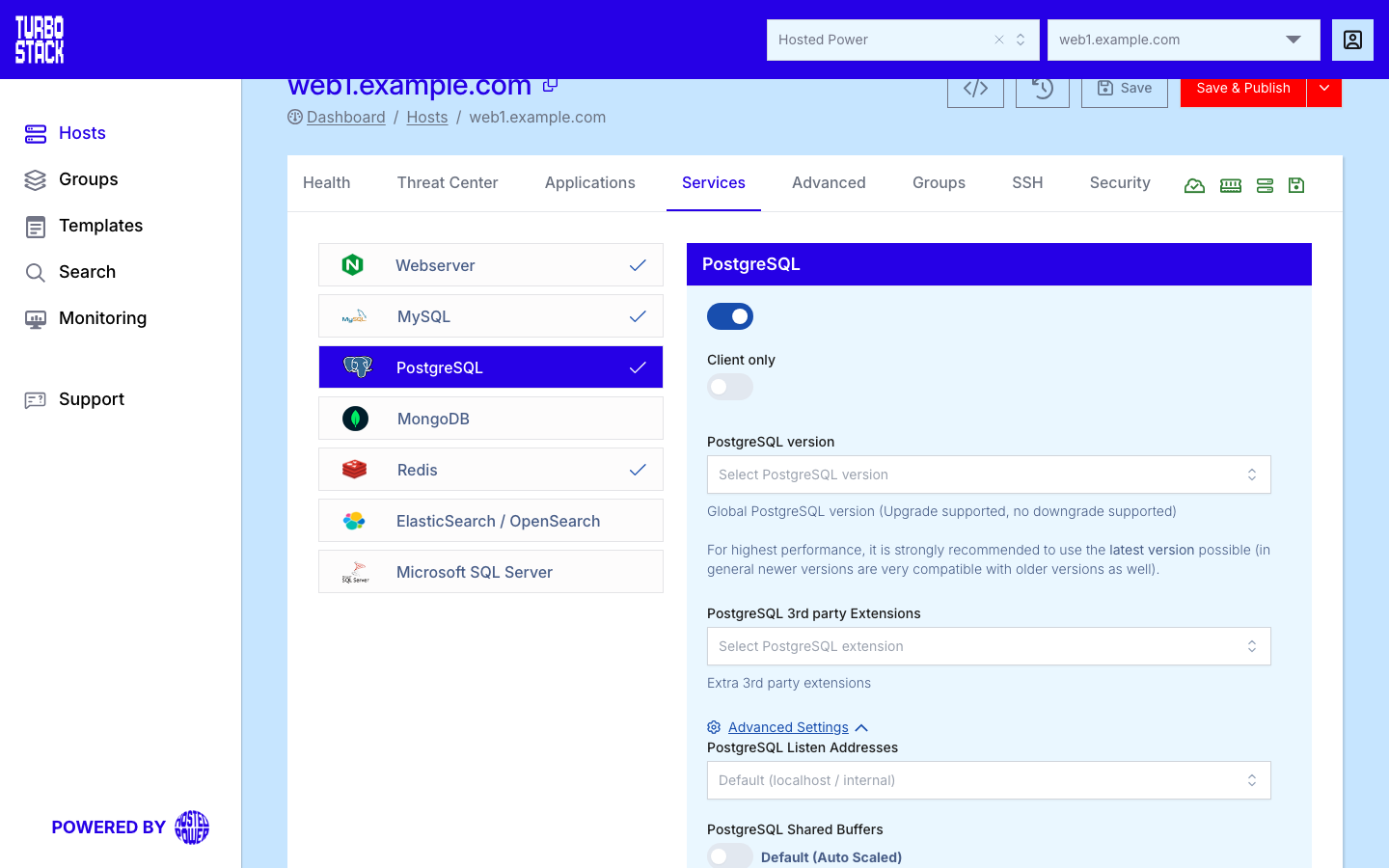
Where to configure it
PostgreSQL is a host-level service. Open the host, go to its Services tab, and select PostgreSQL. Enable it and pick the major version. Saving updates the host YAML; PostgreSQL is installed on the host at the next publish.
YAML configuration
Required
Optional
postgresql_version: "17"

# Optional overrides
postgresql_shared_buffers: "2GB"          # leave unset to keep auto-tuning
postgresql_listen_addresses: "localhost"  # widen only when needed
postgresql_extra_access:
  - type: host
    database: all
    user: gitlab_db
    address: 10.0.0.0/8
    auth_method: scram-sha-256
Listening address
postgresql_listen_addresses takes an address, or the keyword ANY, which makes PostgreSQL
listen on every interface the server has.
Warning
ANY includes any public interface. A database reachable from the internet is a serious risk, so
prefer a specific private address, and restrict access with the
firewall whatever you choose. Widening the listen address is only half
the job: a client also needs a matching rule in postgresql_extra_access.
Important
On a host that runs Kubernetes or Docker, PostgreSQL listens on every interface unless you set
postgresql_listen_addresses yourself. If that is not what you want, set the address explicitly.
Warning
A major-version change requires a migration and is not a simple in-place switch. Back up first and test before applying it in production.
Common tasks
- import and export a PostgreSQL database
- connect to your PostgreSQL database remotely
- create and manage PostgreSQL users