
Configure MySQL on TurboStack
Enable MySQL on a host, choose a version, and let TurboStack auto-tune memory and provision a database per application.
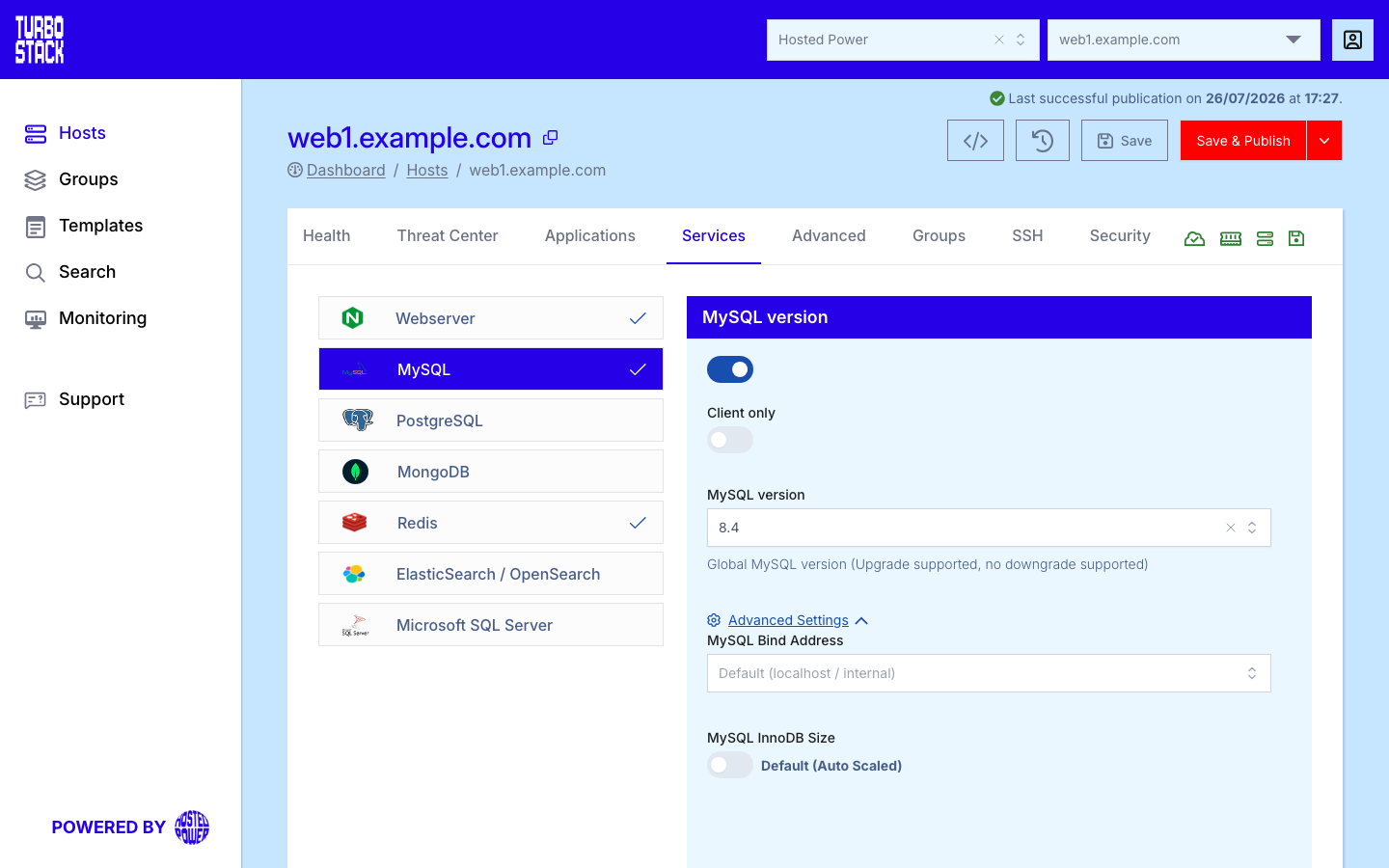
Where to configure it
MySQL is a host-level service. Open the host, go to its Services tab, and select MySQL. Enable it and pick the major version. Saving updates the host YAML; MySQL is installed on the host at the next publish.
YAML configuration
Required
Optional
mysql_version: "8.4"

# Optional overrides
mysql_innodb_size: "2G"        # leave unset to keep auto-tuning
mysql_bindaddress: "127.0.0.1" # keep local unless remote access is needed
# mysql_timezone: "UTC"        # leave unset to follow the server's time zone
Listening address
mysql_bindaddress takes an address, or the keyword ANY, which makes MySQL listen on every
interface the server has.
Warning
ANY includes any public interface. A database reachable from the internet is a serious risk, so
prefer a specific private address, and restrict access with the
firewall whatever you choose.
Important
On a host that runs Kubernetes or Docker, MySQL listens on every interface unless you set
mysql_bindaddress yourself. If that is not what you want, set the address explicitly.
Time zone
mysql_timezone sets the database server's default time zone, which decides how NOW(),
CURDATE() and TIMESTAMP columns are interpreted. Leave it out and MySQL follows the server's
own time zone. Accepted values are what MySQL accepts: UTC, or an offset such as +02:00.
Warning
Changing the time zone on a database that already holds data shifts how existing TIMESTAMP
values are read back. Decide this when you set the host up, not afterwards.
Database-server-only hosts
mysql_server_only: true turns the host into a dedicated database server: the database engine is
installed, but not the local application-side setup. This is the other half of
client-only mode - one host runs the database,
one or more others run the applications.
Warning
A mysql_server_only host binds MySQL to every interface, because the application servers have
to reach it. Restrict access with the firewall so that only your own
servers can connect, and never place such a host on the public internet unprotected.
Note
MySQL can also run in client-only mode when a host needs the MySQL client tools but not a local server - for example to connect to a database on another host.
Warning
Changing mysql_version to a higher major version is supported, but downgrades are not. Back up first and test the upgrade.
Common tasks
- import and export a MySQL database
- connect to your MySQL database remotely
- create and manage database users
- use phpMyAdmin