
Configure Node.js on TurboStack
Enable the Node.js runtime on an application and proxy public traffic to it with Nginx.
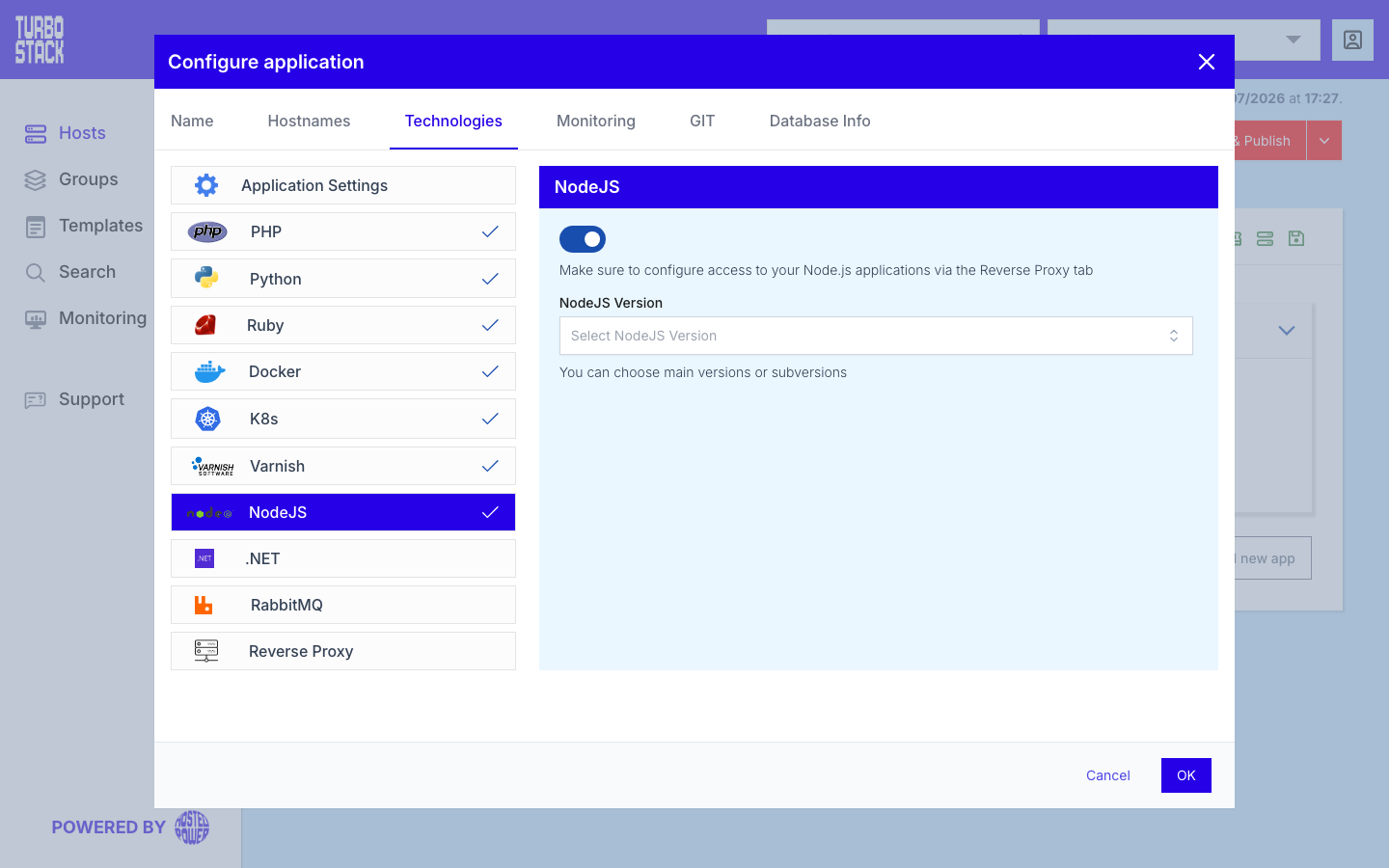
Where to configure it
The Node.js runtime is configured per application. In the TurboStack Platform, open an application and go to Configure application > Technologies > NodeJS, then choose the version your application should use.
To publish the application, you also enable the reverse proxy so Nginx forwards public traffic to the local port your Node.js process listens on. See Configure the reverse proxy for that side of the setup.
YAML configuration
Required
Note
There is no separate "enable" key. Node.js is installed for an application as soon as you set
nodejs_version on it, and is left out when you omit the key.
Optional
These keys are typically added together with the reverse proxy so public traffic reaches your app.
nodejs_version: "24"

# Publish the app via the nginx reverse proxy
proxy_enabled: true
proxy_upstream_port: 3000   # the port your Node.js process listens on
Permissions
Harden the files and directories in your application so files are readable but not writable by the group, and directories stay traversable. Run these from the parent of your application's directory (replace ~/app with wherever your Node.js application lives):
find ~/app -type f -exec chmod 644 {} \;
find ~/app -type d -exec chmod 755 {} \;
This sets files to 644 (owner read/write, others read-only) and directories to 755 (owner read/write/traverse, others read/traverse).
Common tasks
Related
- What is Node.js?
- Keep a Node.js app running
- Configure the reverse proxy
- TurboStack CLI -
tscli app backendsshows the configured process manager. - Applications overview