
Configure the reverse proxy on TurboStack
How to enable the reverse proxy for an application on TurboStack so Nginx forwards requests to your application's upstream port, plus the YAML it produces.
Enabling the reverse proxy tells Nginx to forward an application's requests to your application's upstream port instead of serving PHP or static files.
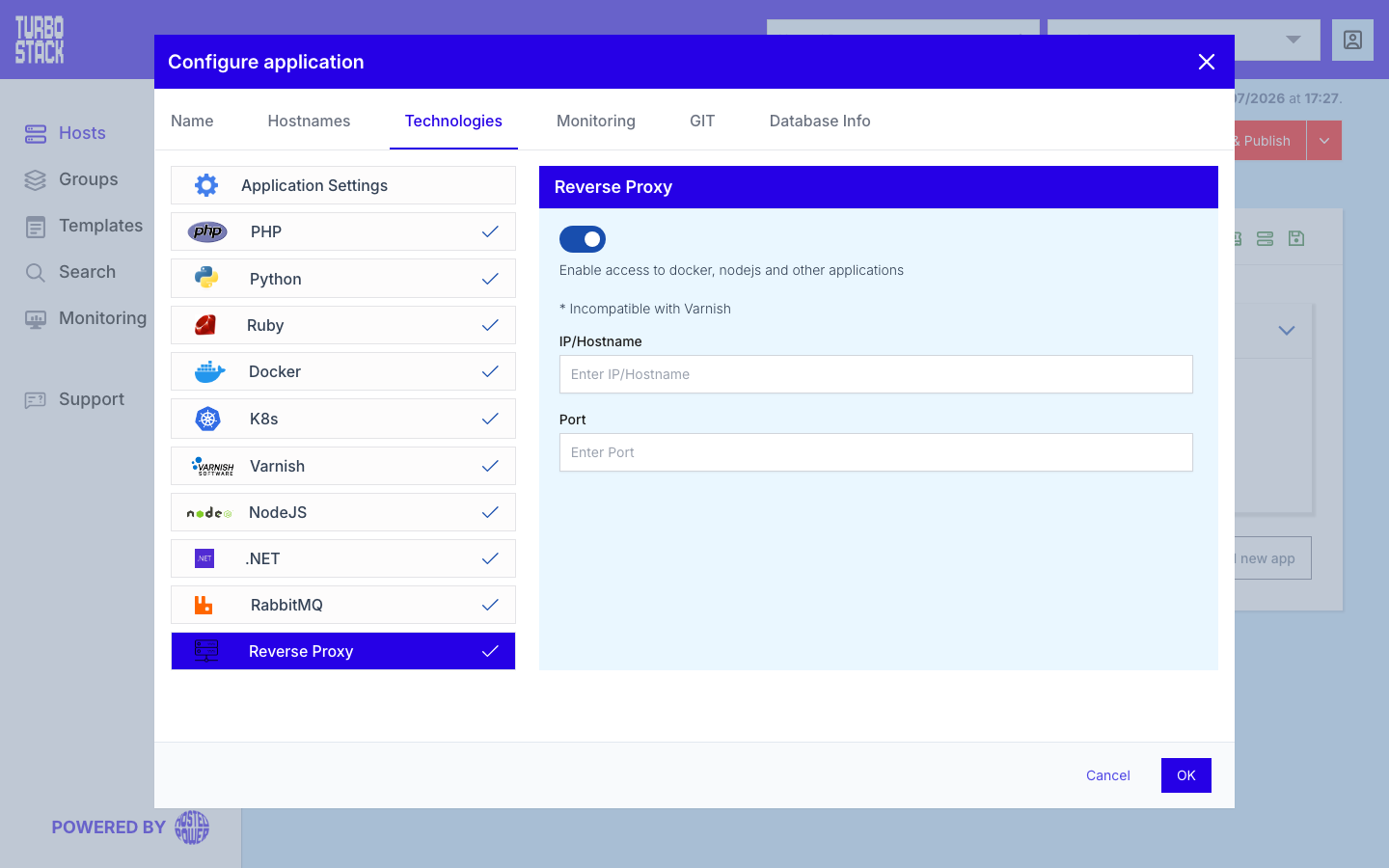
Where to configure it
The reverse proxy is enabled per application:
- Open the host and select the application.
- Go to Configure application > Technologies > Reverse Proxy.
- Enable the reverse proxy and set the upstream port your application listens on.
TurboStack generates the Nginx vhost from there - there is no raw proxy config to write by hand.
YAML configuration
Required
Optional
# Per-application: forward requests to a backend app on port 3000
proxy_enabled: true
proxy_upstream_port: 3000
proxy_upstream_host: 127.0.0.1   # optional, this is the default
Tip
Keep proxy_upstream_host at 127.0.0.1 so your application is reachable only
through Nginx. For containerized apps, combine this with
Docker and point the upstream port at the
container's exposed port.