

Cloning an account
To make a clone of an existing application, we provide the Clone Account feature. This function replicates the entire configuration and optionally copies the files and/or database, enabling a quick and efficient setup with minimal effort.
This feature is extremely useful to quickly copy your production environment to a staging environment or vice versa!
Here’s how to do it:
-
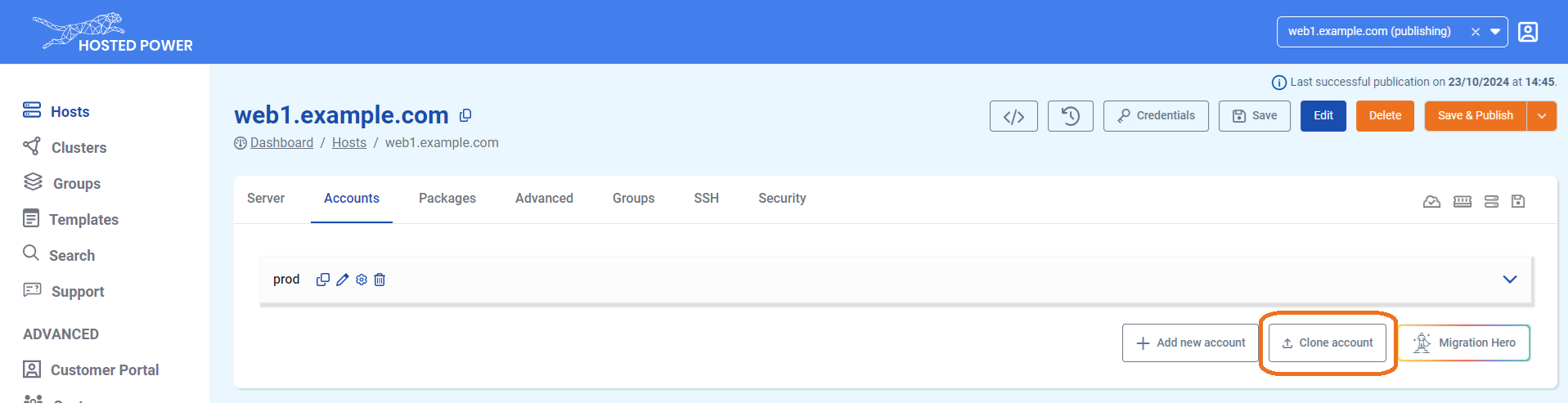
Navigate to the Accounts tab in the TurboStack Platform under your host.

-
Click Clone Account.
-
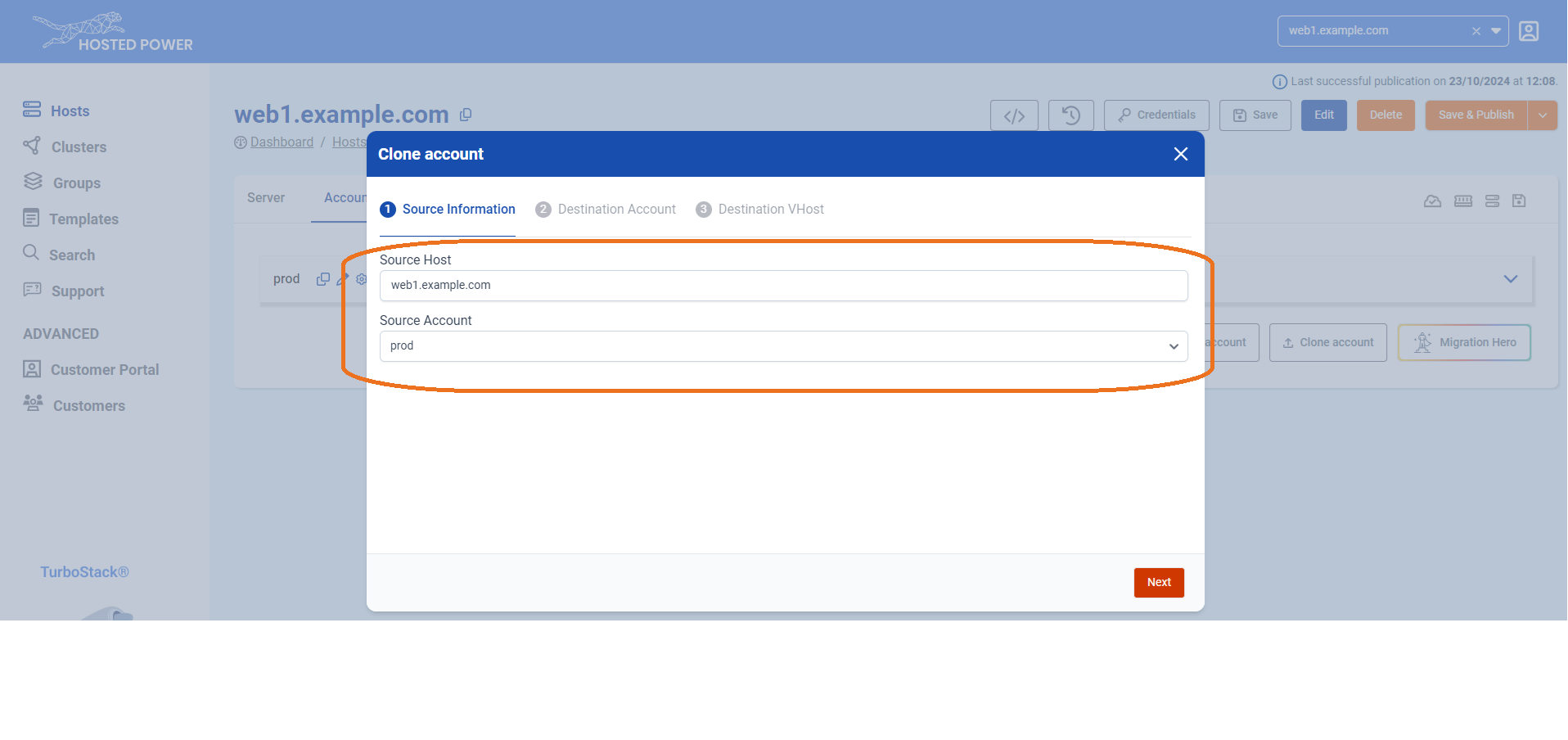
In the next step, select the source host and the account you want to clone. This can be either the current server or another server you manage.
-
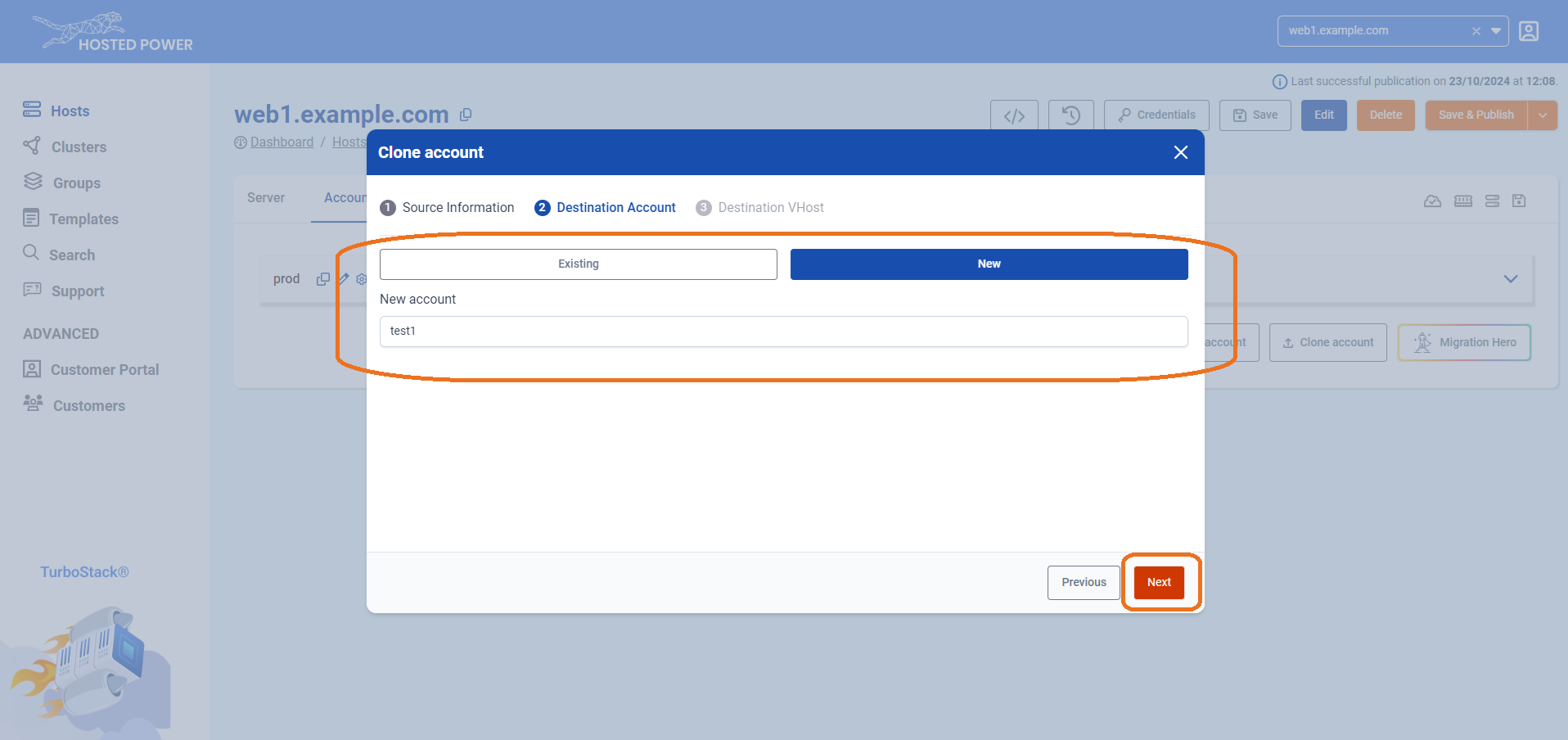
Choose the destination account, which can be either an existing or a new account, and choose whether to clone the database and/or files. Click Next.
-
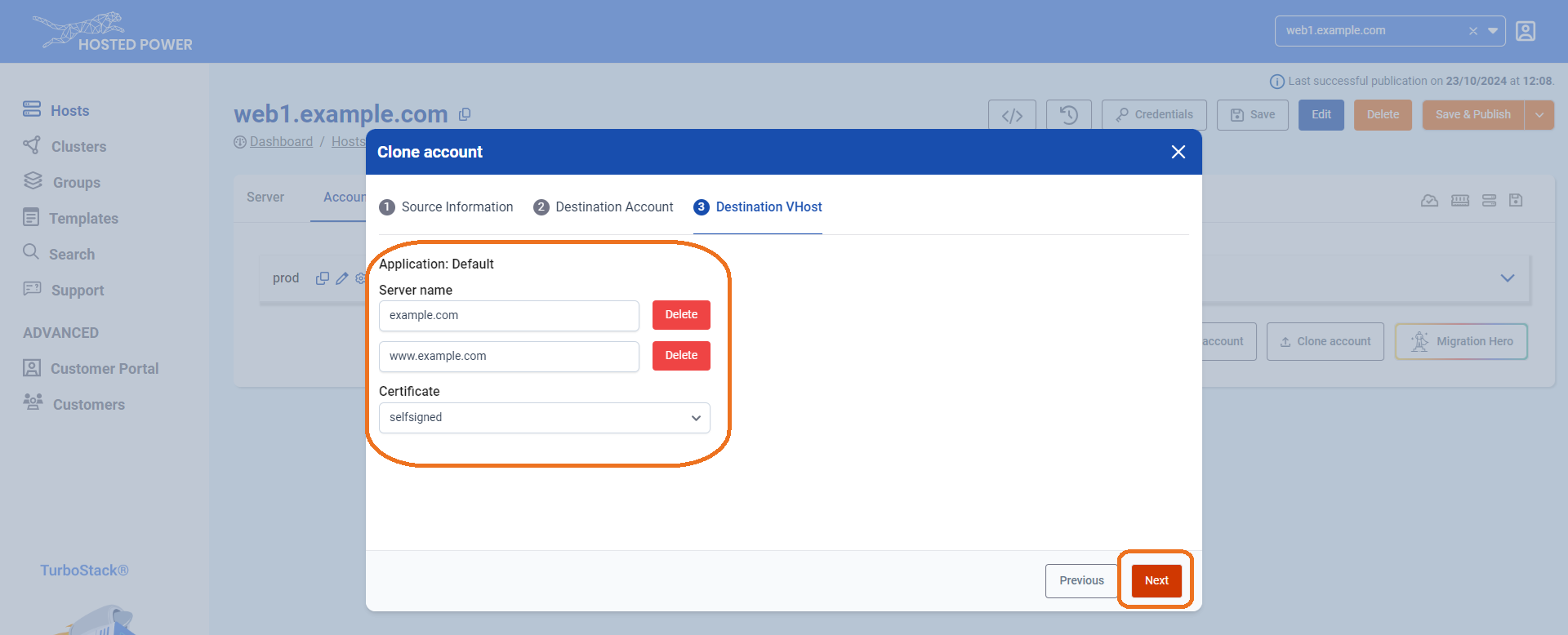
Select the hostname(s) you'd like to associate with the account and choose the type of certificate you want to activate. Click Next to finalize.
-
The server will now clone the account, indicated by the publishing indicator in the top left.

-
If the account clone has succeeded, it will be indicated in the top right with a timestamp.