
How to switch PHP version
Each application on TurboStack runs its own PHP version in its own PHP-FPM pool, so you can change one
application's version without affecting the others. TurboStack supports a range of versions - for
example 8.4, 8.3 and 8.2. Older versions can still be installed if your application needs them,
but they may no longer receive security updates. The version dropdown lists the versions available now.
Before you start
-
Know which PHP versions your application supports. A version that is too new is as much a problem as one that is too old: an extension or a plugin the app depends on may not exist for it yet. Where to find it:
-
The application's system requirements page lists the supported versions per release. This is the most reliable source for Magento, Shopware, WordPress and the other packaged apps.
-
For an app built with Composer,
composer.jsonin the root folder states the range the developers built it for, underrequire:"require": { "php": ">=8.2 <8.5" }This example means: any version from 8.2 up to, but not including, 8.5. Pick the newest version in that range that the dropdown offers.
-
Plugins and extensions have requirements of their own; a site can be held back by one plugin. When in doubt, ask the developer who built the site.
-
- Access to the application's Technologies settings, or the Source (YAML) view.
- A staging copy to test on first, if the site is in production.
Switch it in the GUI
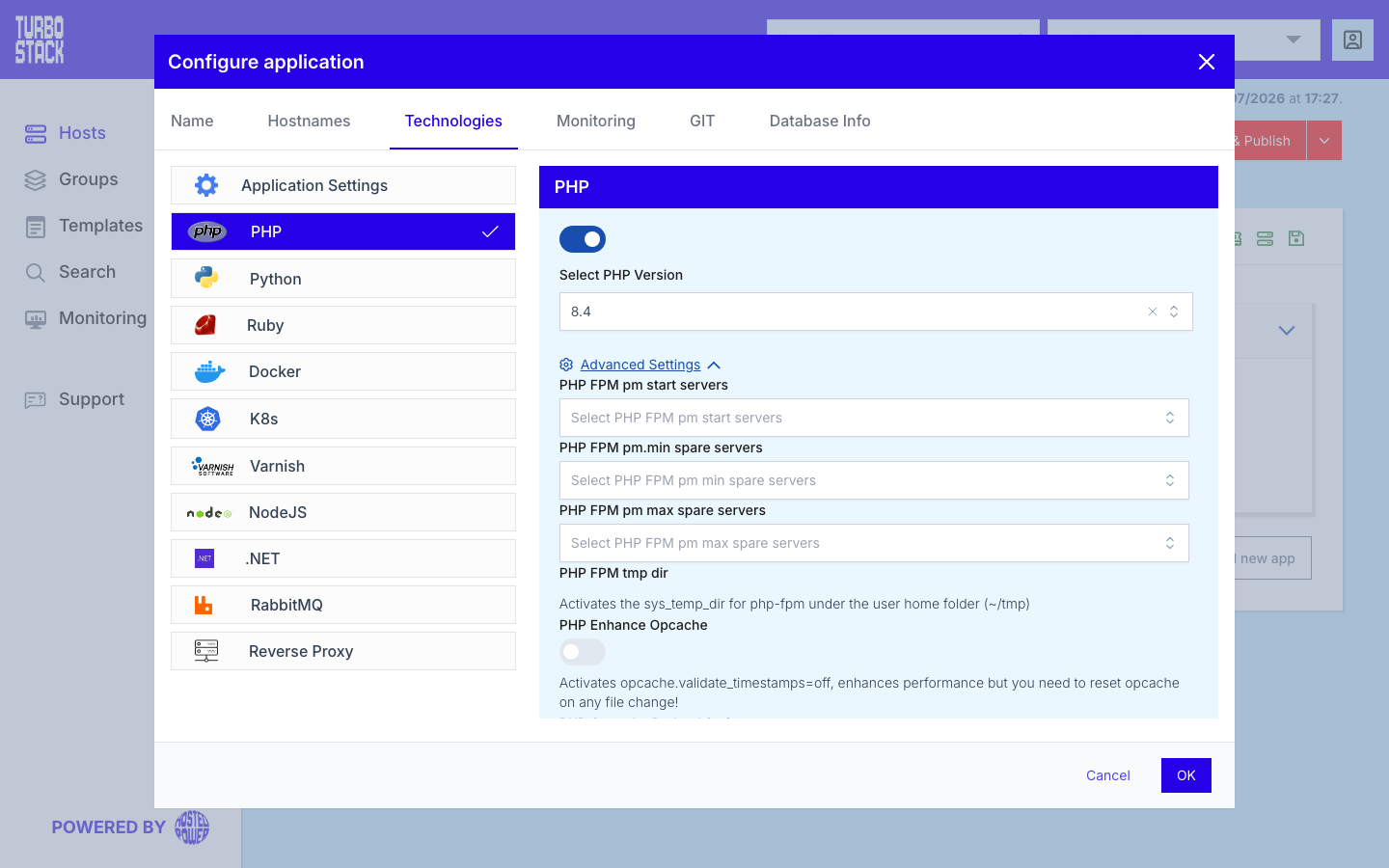
- Open the host and select the application.
- Go to Configure application > Technologies > PHP.
- Choose the version and save.
Switch it in YAML
Set php_version on the application (vhost). The version must be installed on the host - it is listed in
the host-level php_versions, with php_main_version as the host default. See
The Source (YAML) view.
php_version: "8.4"Publish the change to apply it.
Verify the active version
-
Web: open a temporary
phpinfo()page (see Override PHP settings) and check the version at the top, then delete the file. -
Command line: each installed version also has its own binary at
/usr/bin/php<version>(for example/usr/bin/php8.4 -v). The defaultphpon the command line may differ from the application's version.
Warning
Test your application against the new version on a staging copy before switching a production site - a major PHP jump can break incompatible code or extensions.
If it did not work
phpinfo() still showing the old version means the publish has not finished or failed - check
History. A white page or 500 right after the switch is the
application rejecting the new version, usually an incompatible extension or unsupported syntax.
tscli logs php error shows the message. Switch back to the previous version and publish again
while you fix it. See Fixing 502, 503 and 504 errors, or
contact support.